SpareDisk
See what’s taking up space.
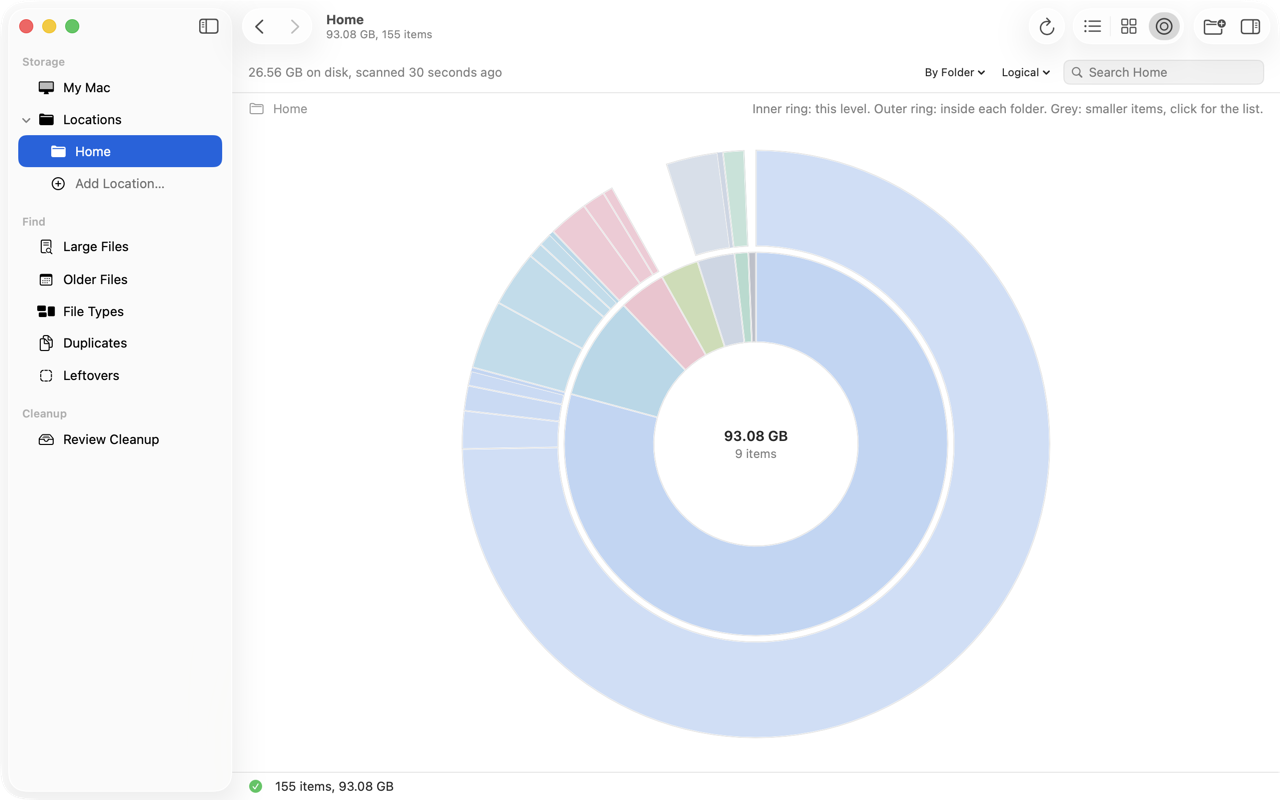
The biggest files and folders stand out on the storage map. Open a block to see what’s inside.

Free up disk space on your Mac. Find the big files, forgotten backups and duplicates filling it. Review what you remove. Keep what matters.
macOS 15 or later. Apple silicon and Intel.

The biggest files and folders stand out on the storage map. Open a block to see what’s inside.
Big files take up big blocks. Click into a folder to see what’s inside, or switch to a sunburst or list.
Group files by type to see what’s taking up space. Then open a category and start with its biggest files.
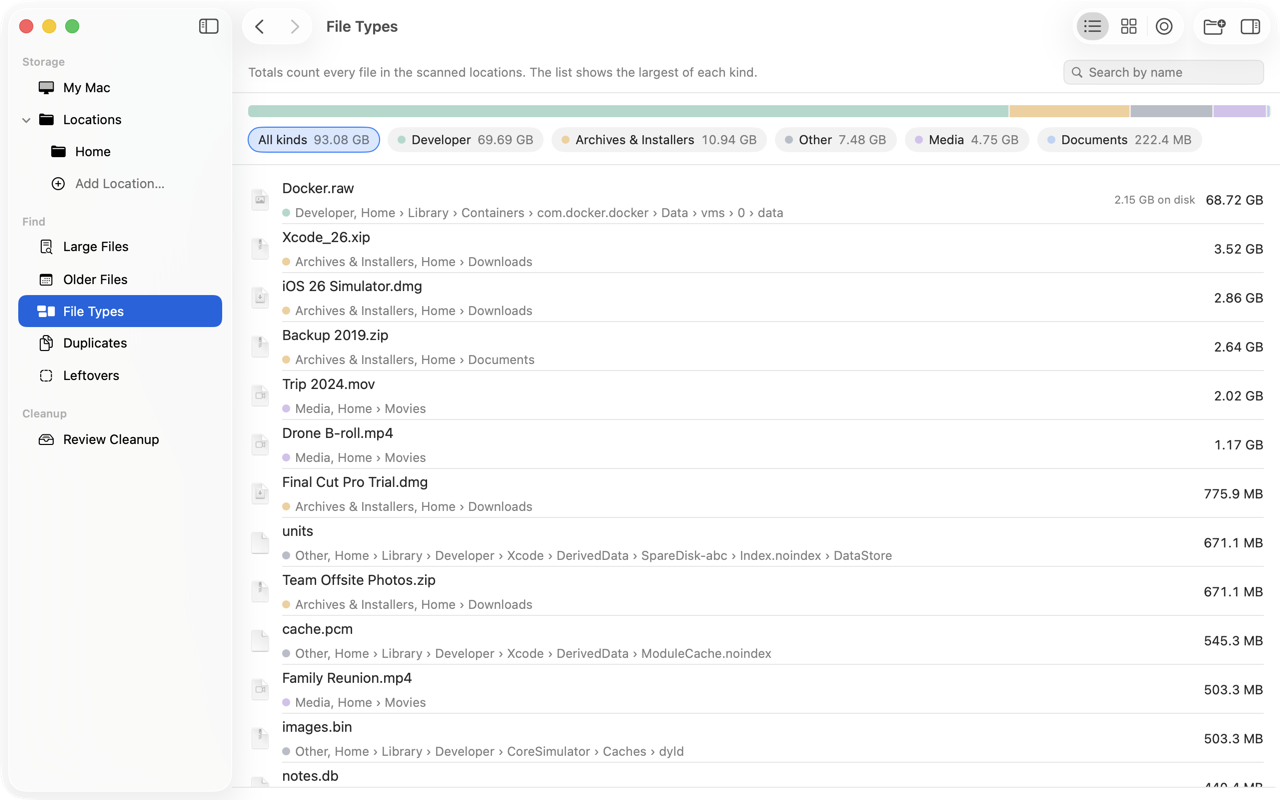
A disk image can report 68 GB while occupying just 2 GB. See both sizes before deciding what’s worth removing. How to find large files →

Find large files you haven’t changed in years. Check what’s still useful and what you’re ready to let go.

SpareDisk compares file contents to confirm duplicates. Choose the copy to keep, then review the rest. How to remove duplicates →

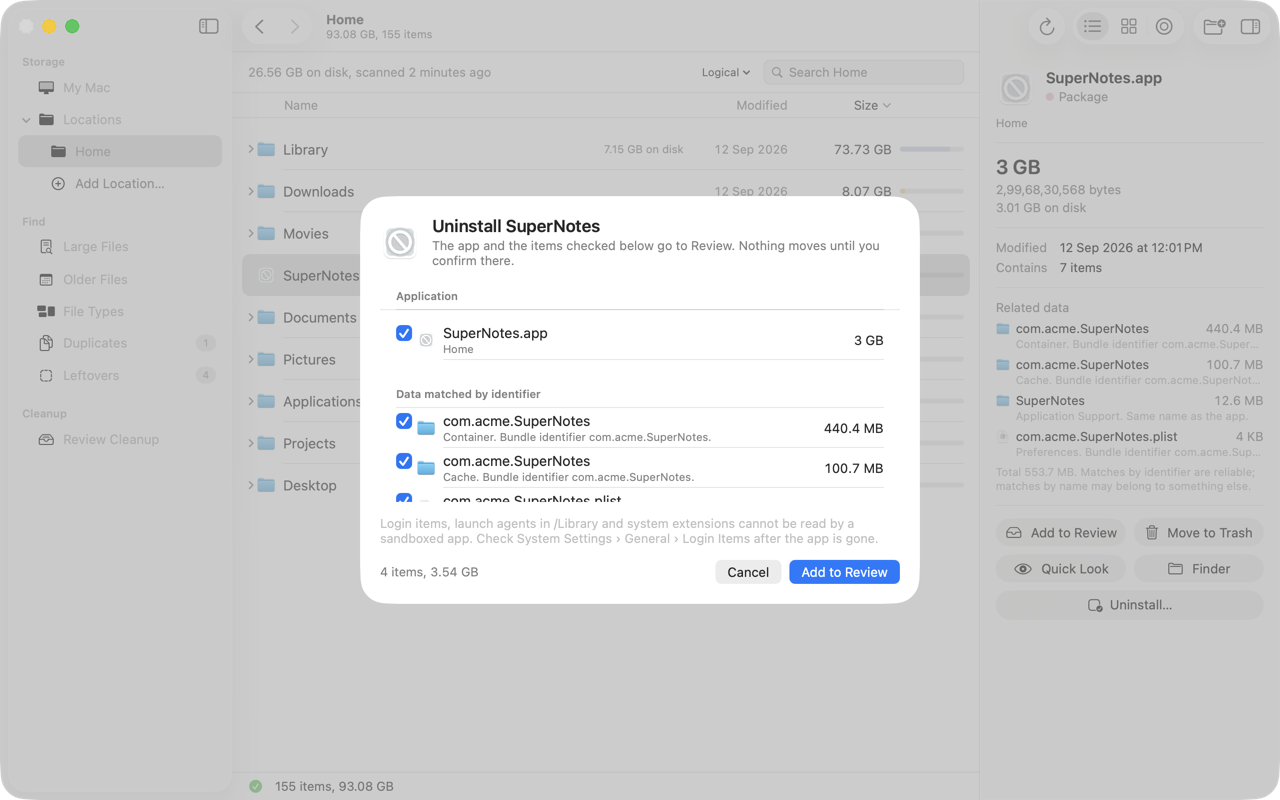
See an app alongside the related files found in your Library. Choose what goes to Trash; uncertain matches start unchecked. How to uninstall Mac apps →
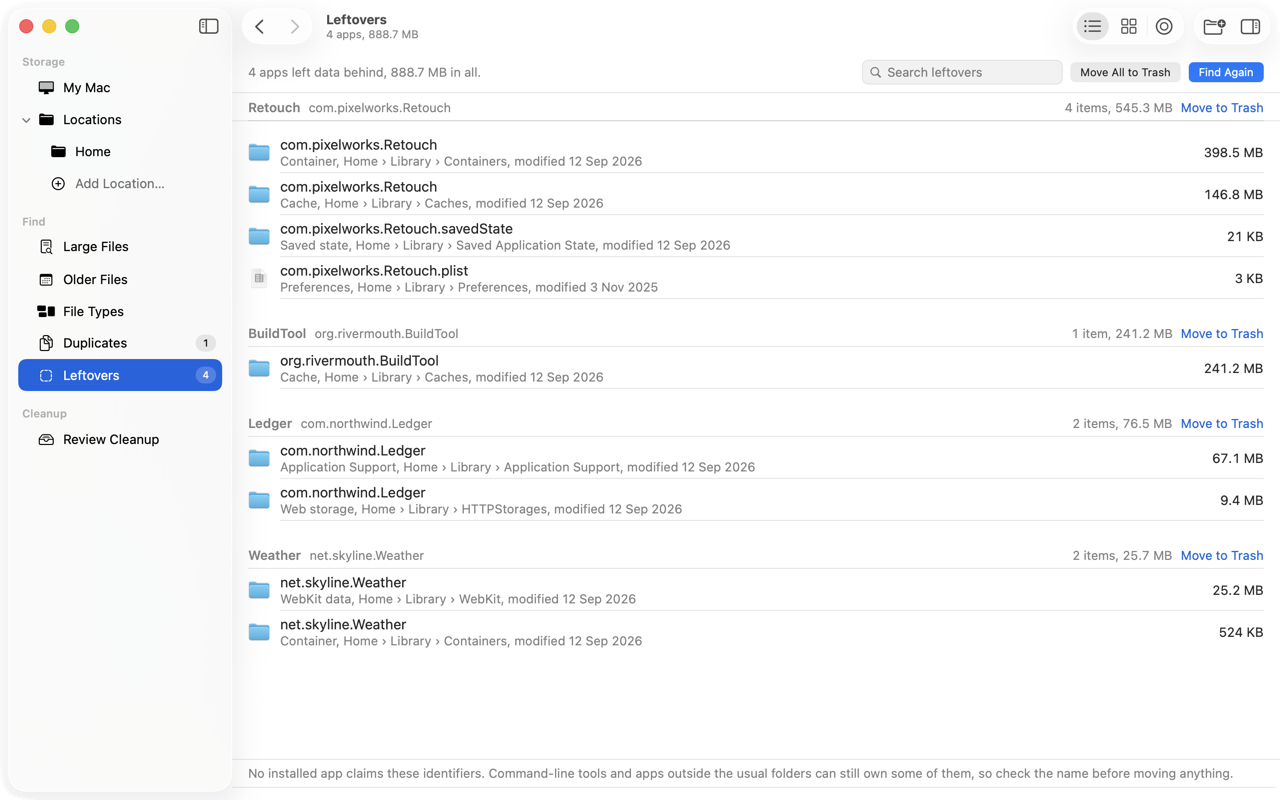
Find leftovers from apps you’ve removed, grouped together so you can check them before sending them to Trash.
Check your selection before moving it to Trash. Changed files are skipped, with a reason. You decide when to empty the Trash.

“SpareDisk is amazing. I liked the files tree heatmap and older files year-wise segregation. I will use it to search any files because Finder sucks at it.”
“SpareDisk is really a useful tool. I didn’t know that Cline was taking 176 GB on my Mac.”
$4.99 USD
All features. No subscription.
macOS 15+ · Apple silicon & Intel
No account. No uploads. Your files stay on your Mac.
A safe order to reclaim space.
What’s inside, and how to reduce it.
What’s safe to delete.
Four ways, from Finder to Terminal.
Be sure before you delete a copy.
The app and the data it leaves behind.
Compare: vs DaisyDisk · vs CleanMyMac · vs GrandPerspective · All guides →